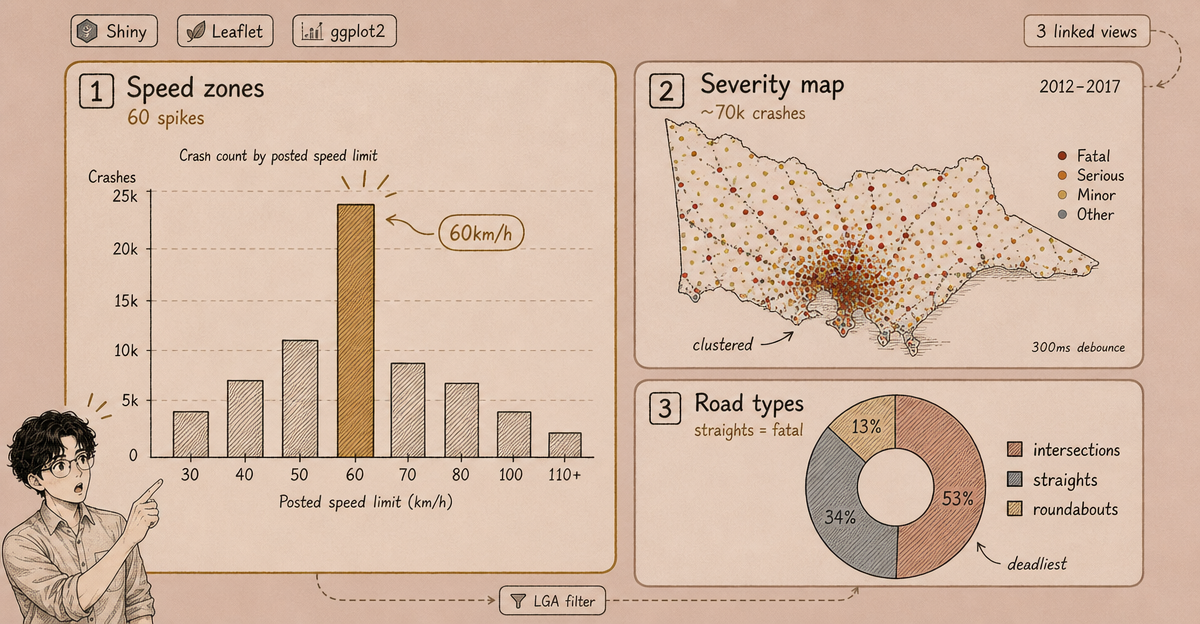
This project was built for a data visualisation unit at university. The dataset was Victoria’s road crash records from 2012–2017, published by VicRoads as open data. The brief was to explore the data and communicate findings through interactive visualisation — not just produce static charts.
The result was a Shiny app with three linked views: a speed zone analysis, a geospatial severity map, and a road-type breakdown.

The Dataset
The VicRoads dataset contains one row per crash event, with attributes including:
- Crash date, time, and location (lat/lon)
- Speed zone at the crash site
- Severity (Fatal, Serious Injury, Other Injury, Non-Injury)
- Road geometry type (intersection, roundabout, straight, etc.)
- Number of vehicles involved
Five years of crashes across Victoria gives roughly 70,000+ records — enough to surface patterns, but small enough to run in-browser with reasonable interactivity.
Three Views
1. Speed Zone Analysis (Bar Chart)
The first view plots crash count by posted speed limit, broken down by severity. The pattern that emerged was counterintuitive: the highest raw crash counts occur in 60km/h zones (suburban streets), not on 100–110km/h highways.
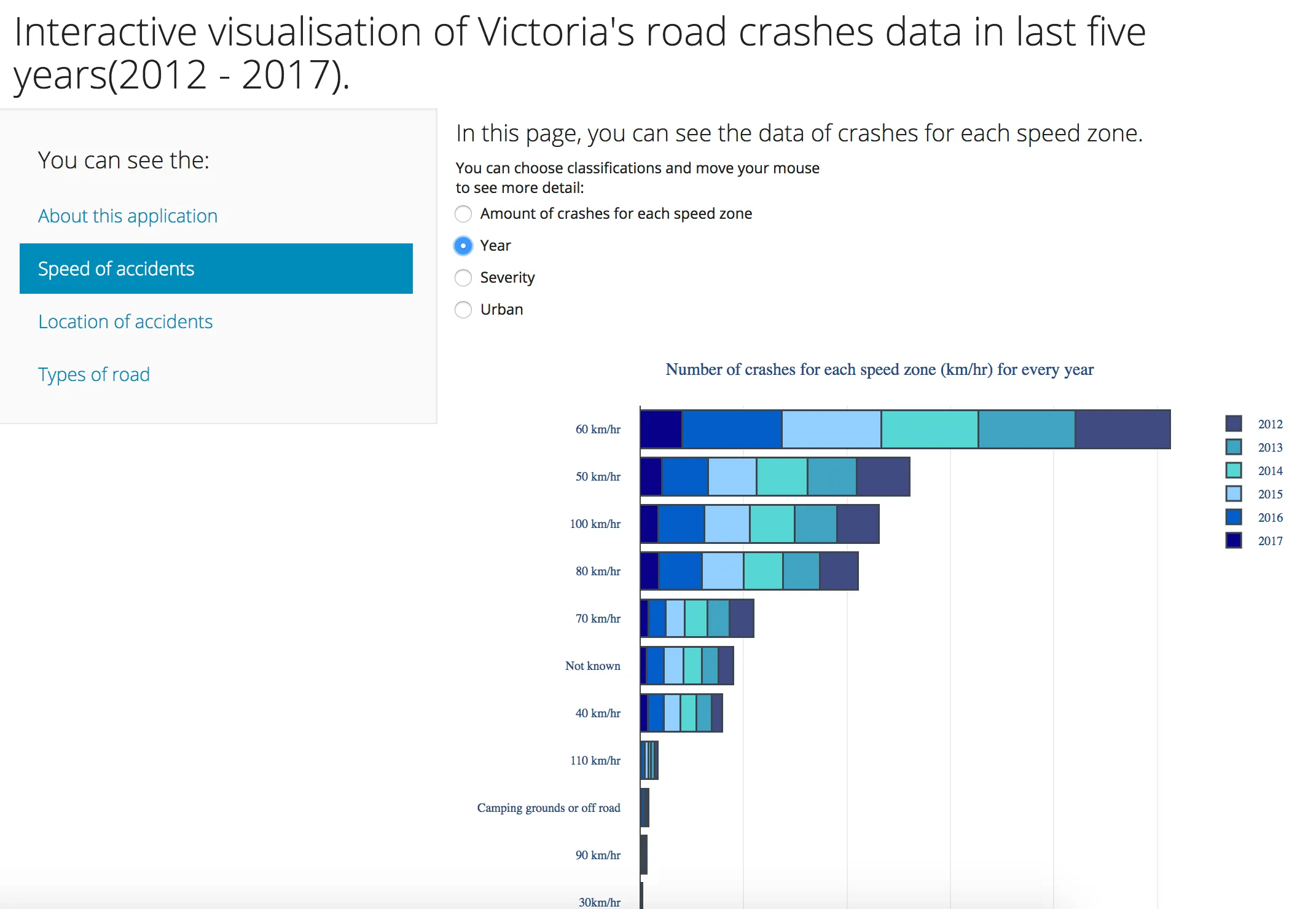
This reflects exposure — there are far more suburban roads and far more trips on them. Fatal crash rates per vehicle-kilometre travelled tell a different story, but working with raw counts was the scope of this project.
Filters: year range, severity, and LGA (local government area).
2. Geospatial Map (Leaflet)
The second view plots each crash as a point on a Leaflet map, coloured by severity. At state level, the density of Melbourne’s inner suburbs dominates. Zooming into regional Victoria reveals a different character: higher proportions of fatal and serious injury crashes on rural roads.
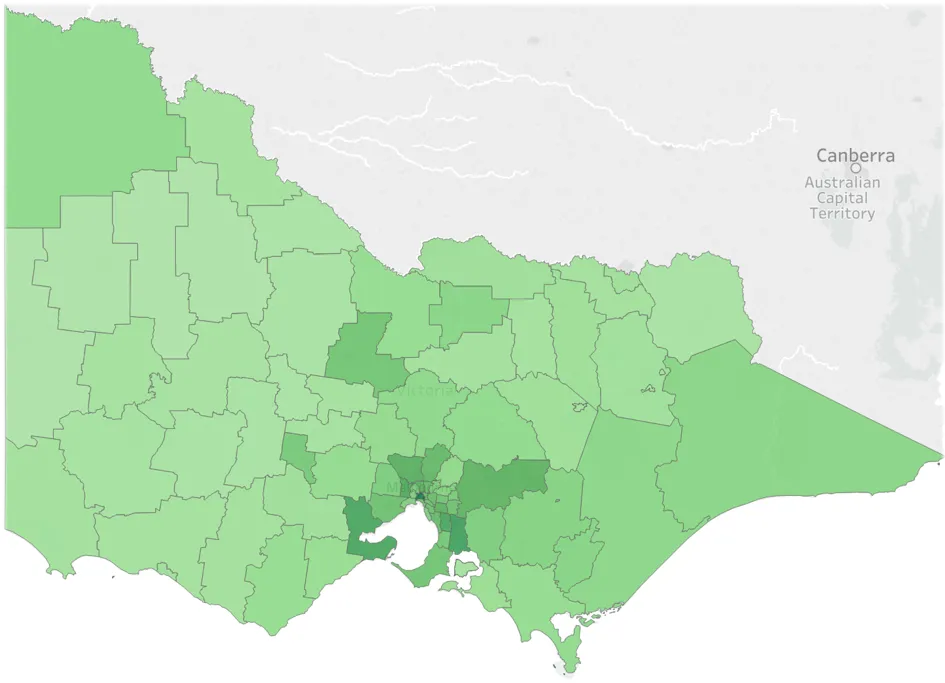
The map uses clustering at low zoom levels (Leaflet’s markerClusterGroup) to avoid rendering 70,000 individual markers. Clicking a cluster expands it; clicking an individual marker shows crash attributes.
3. Road Type Breakdown (Donut Chart)
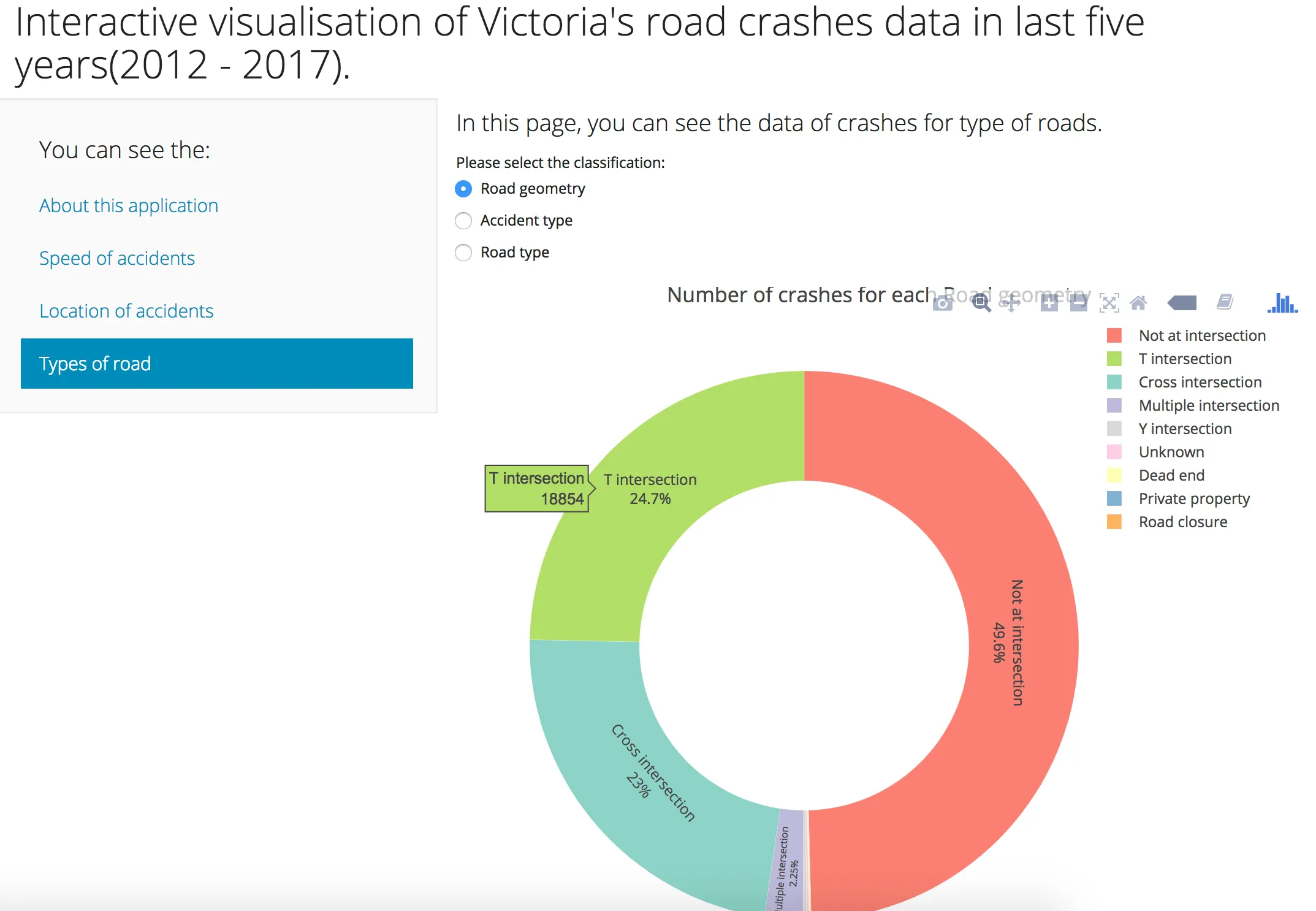
The third view uses a donut chart to show the proportion of crashes by road geometry type, with severity as a filter. Intersections account for the largest share of crashes overall; straights account for a disproportionate share of fatal crashes — consistent with speed being the primary factor on open road.
Technical Notes
The app is built in R with Shiny for reactivity, ggplot2 for the bar and donut charts, and leaflet (via the R leaflet package) for the map. Cross-filter interactions between views were handled using reactive() and observeEvent().
Deployment was on shinyapps.io, which handles hosting for free-tier Shiny apps.
The main performance constraint was the map — rendering and re-rendering 70,000+ points on filter changes was slow without clustering. Adding markerClusterGroup and debouncing the reactive filter (300ms delay) brought re-render times to an acceptable range.
What I Learned
This project was my first time working with a large real-world dataset end to end — from raw CSV to deployed interactive app. The non-obvious finding (suburban roads have more crashes, rural roads have deadlier ones) was the kind of insight that only emerges when you can interact with the data rather than look at a single static chart.
It also introduced me to the cost of reactivity in browser-based data apps: every filter change triggers a re-render, and naive implementations are slow. The discipline of minimising what needs to recompute on each interaction — isolating which chart responds to which filter — became a design principle I’ve carried forward.