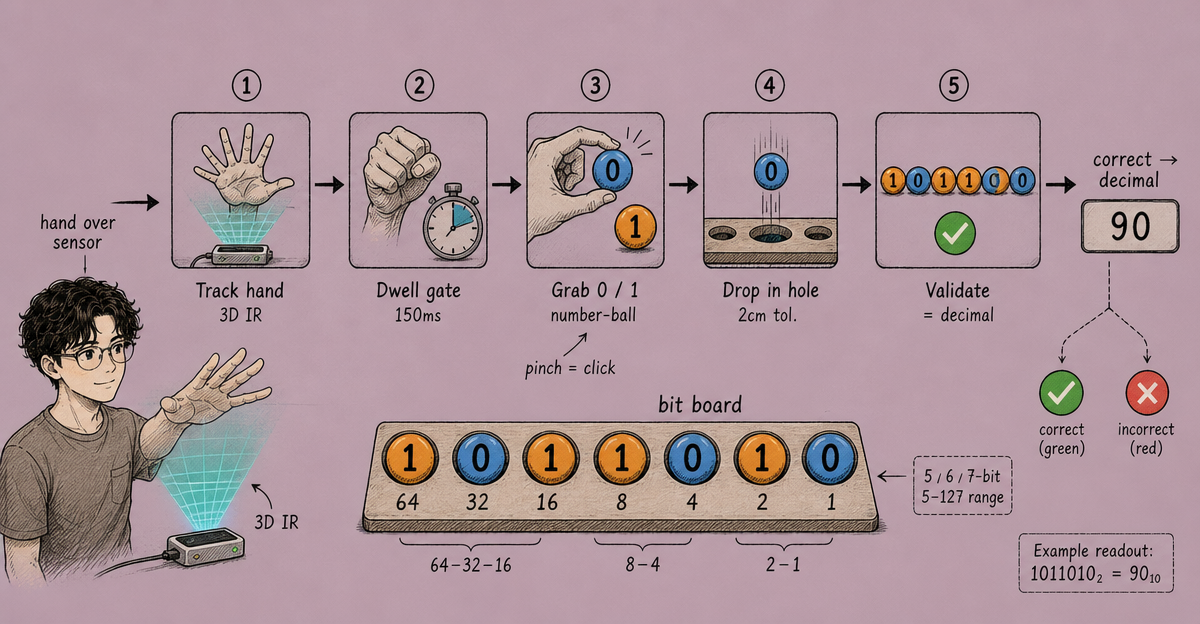
This project came from a simple question: what if learning binary wasn’t about pencil-and-paper conversion but about physically placing values into bit positions with your hands?
The result was a Unity application built on top of the Leap Motion SDK that lets students practice decimal-to-binary conversion using mid-air hand gestures — no keyboard, no mouse. Just hands above a small USB sensor.
The Device
Leap Motion is a compact controller (roughly USB-stick-sized) that sits below a monitor and uses infrared sensors to track hand and finger positions in 3D space with millimetre precision. In 2016, it was one of the only affordable hand-tracking devices available for desktop, which made it an interesting platform for educational experiments.
The SDK exposes hand position, finger direction, and pinch strength as a real-time event stream. In Unity, this translates to polling a Controller instance each frame and reading the Frame.Hands collection.
Application Structure
The app has four scenes:
| Scene | Description |
|---|---|
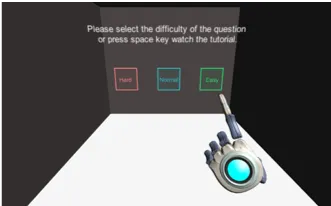
| Starting Scene | Difficulty selection — tap a floating button with your hand |
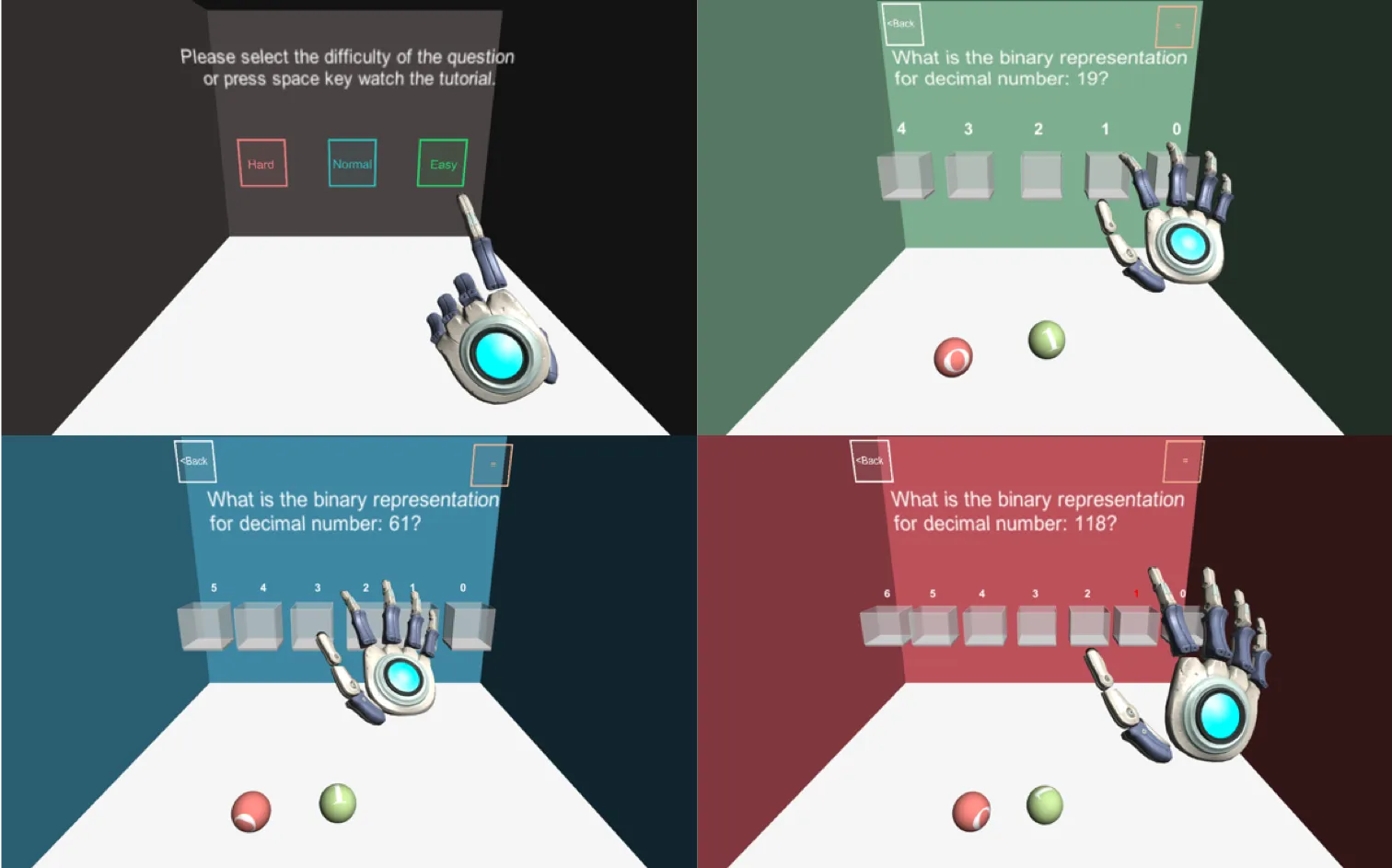
| Easy | 5-bit board, numbers 5–31 |
| Normal | 6-bit board, numbers 32–63 |
| Hard | 7-bit board, numbers 64–127 |
Each scene presents a decimal number and a row of holes, each representing a power of 2. Two floating number-balls (“0” and “1”) can be grabbed and placed into the holes. Once all positions are filled, the app validates the answer.
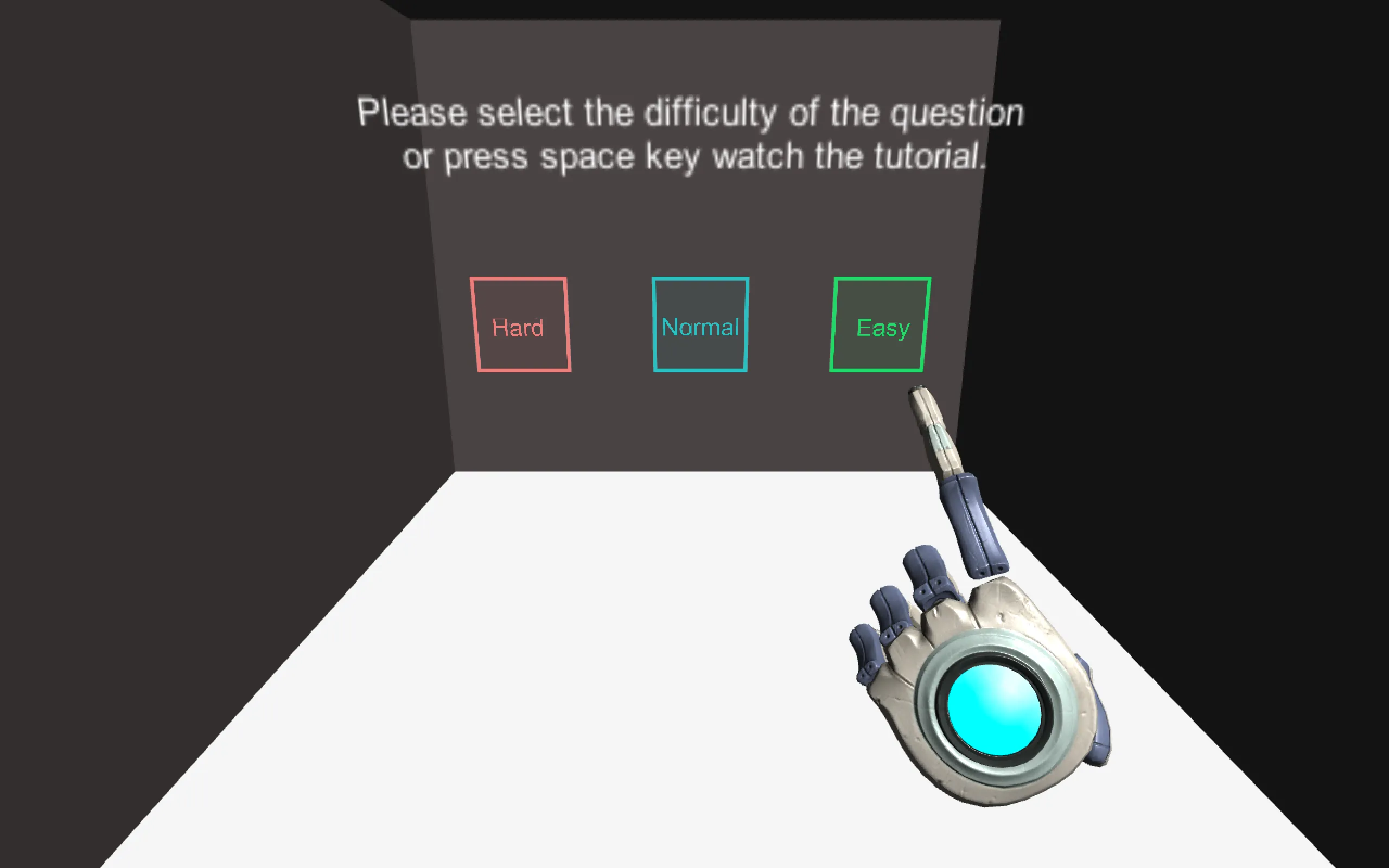
Switching scenes is done by hovering over a button with an open hand and “clicking” with a pinch gesture — keeping all input purely gestural.
Gameplay Screenshots
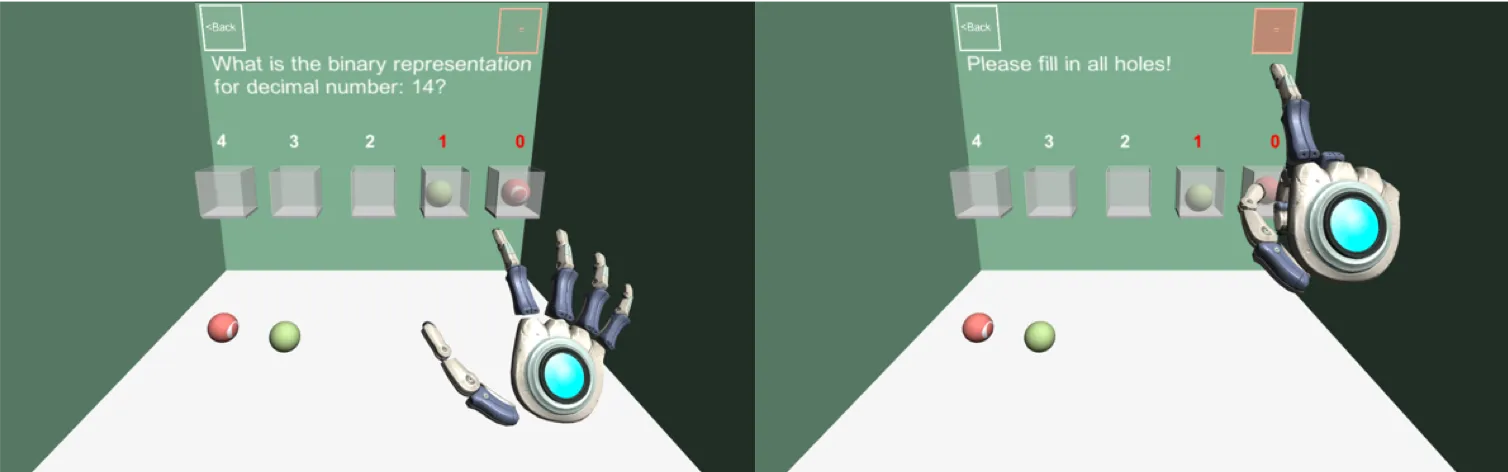
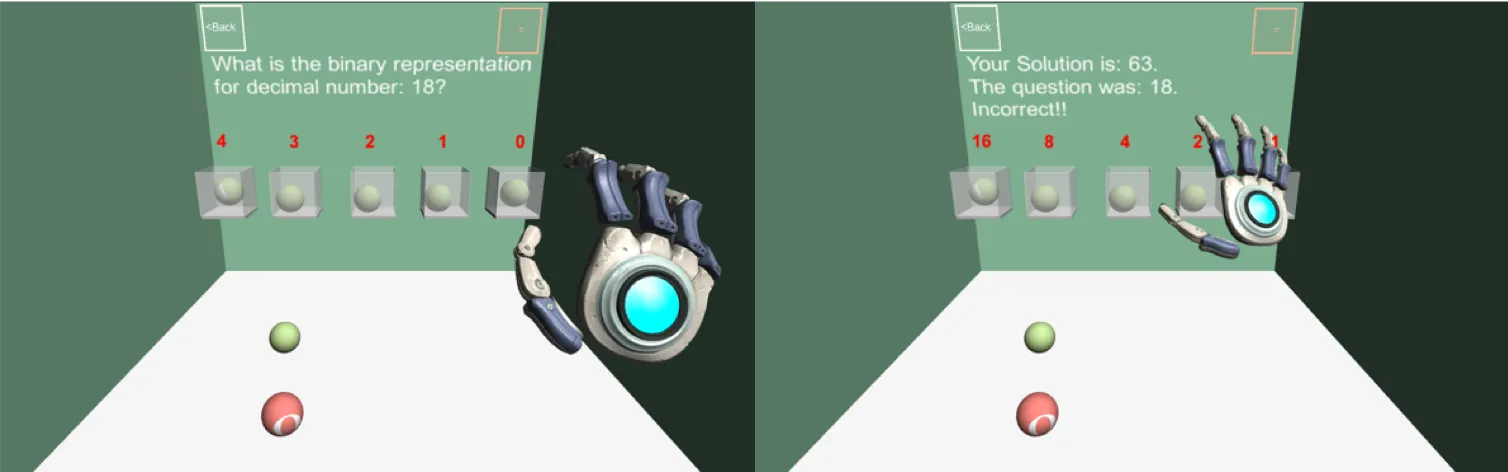
Technical Challenges
Gesture reliability was the hardest problem. Leap Motion tracking degrades with certain lighting conditions and hand angles, and false positives (accidental picks, drops, clicks) were frequent in early builds. The solution was a dwell-time threshold: a “grab” only registered after the hand maintained a closed-fist posture above the target for 150ms. This eliminated most accidental triggers.
Collision detection between floating objects and holes needed spatial tolerance. The holes are abstract teaching constructs — a ball “placed” into a hole within 2cm of centre was accepted. Tighter tolerances made the interaction frustrating; looser ones made it feel imprecise.
Scene architecture was kept flat. Each scene carried its own state — no shared game manager across scenes. This avoided cross-scene dependencies but meant repeated code for the gesture event subscription/unsubscription pattern. Given the scope, it was an acceptable tradeoff.
Hardware & Software Requirements
Hardware:
- Windows 7+ or macOS 10.7+
- Leap Motion Controller (USB 2.0)
Software:
- Unity 5.3+
- Leap Motion Core Asset Package
- C#
What I Took From It
The project reinforced that the interaction model is the product, not the content. The binary conversion itself is a 5-minute concept. The challenge was designing an interaction that made practicing it feel physical and direct rather than abstract. Getting that right required more iteration than the underlying logic — which was a useful lesson early in my career about where engineering effort should go.
It also gave me a concrete appreciation for the limitations of hardware-dependent education tools. Leap Motion requires a clean desk setup and consistent lighting, which limits classroom deployment. A production version of this app would need a calibration step and fallback input mode — gaps that a prototype doesn’t need to solve but a shipped product does.