Recently, I came across a new Claude feature that automatically generates charts and visualisations directly within conversations. Known as Interactive Visuals, it allows Claude to render diagrams and explanations using HTML, making them fully interactive rather than static images. The system intelligently decides when visualisation is more effective than text and embeds these elements inline, without needing the user to request them.
So I built a thing.
/interactive-web posts/my-article.mdThat’s it. One command. Claude Code reads the article, figures out its structure, picks the right interaction model, commits to a design direction, and outputs a complete single-file HTML page I can open in any browser. No build step. No React. No CSS framework. Just a .html file that looks like someone actually designed it.
Here’s the repo: github.com/zerohzz/zz-skills
And here’s a live demo: alex-huang.dev/skill-lab/interactive-web
What it actually does
interactive-web is a Claude Code skill. You give it any written content — a blog post, a technical tutorial, an essay, a doc — and it transforms it into an interactive web experience.
Not a generic template. Not “your article but with a dark background.” Every output is specifically designed for that article’s content type.
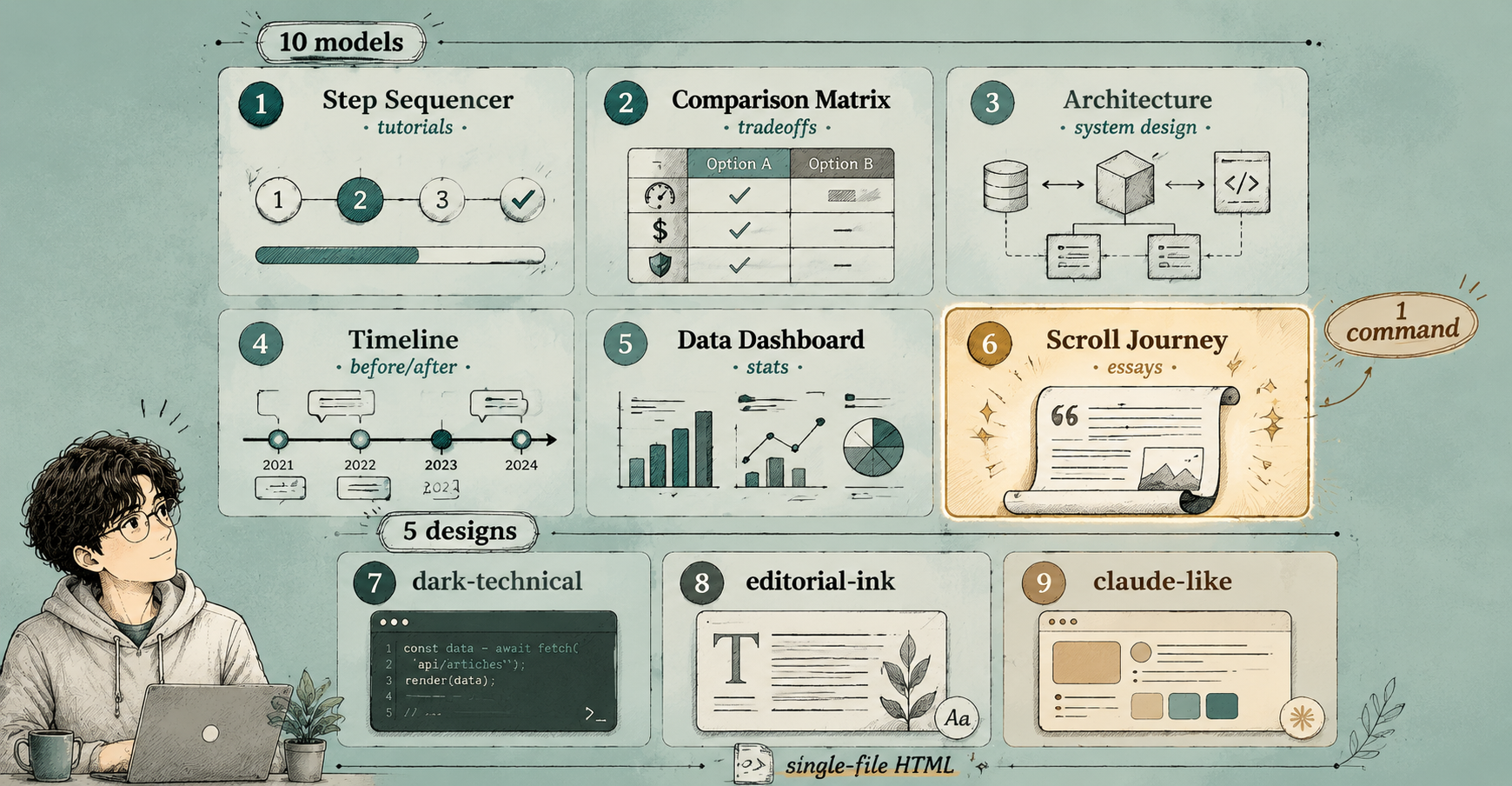
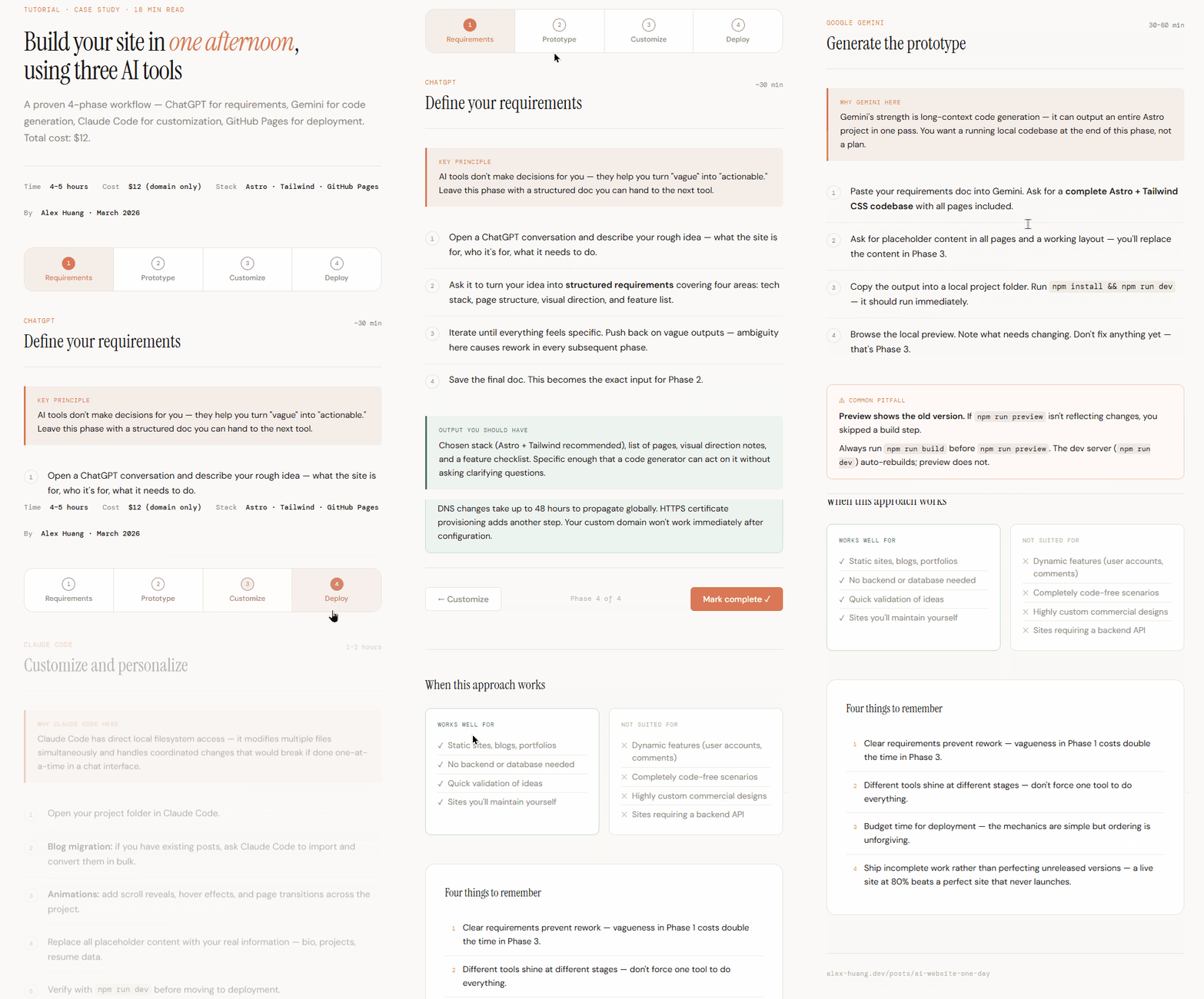
A tutorial becomes a step sequencer with a progress bar. A comparison post becomes a side-by-side matrix you can toggle. An architecture explainer becomes an expandable component diagram. An opinion essay becomes a scroll journey with pull quotes and typographic rhythm.
The skill decides what interaction model fits, picks a matching visual design, then builds the whole thing.
The part that surprised me
I built this for Claude Code. But the skill also works with other AI agents.
That wasn’t the plan. I just tried feeding SKILL.md as a system prompt to another agent one day, and it followed the instructions — ran the analysis, picked the right model, generated the HTML. Because a Claude Code skill is really just structured instructions + reference docs + scripts. There’s no proprietary API lock-in. Any agent that can read instructions and run Python can use it.
That made me realize: skills are portable. Which makes them way more valuable than I originally thought.
How to install it
Option 1 — One-liner (recommended):
npx skills add zerohzz/zz-skillsOption 2 — Plugin marketplace:
/plugin marketplace add zerohzz/zz-skills
/plugin install interactive-web@zz-skills
Option 3 — Just ask Claude:
Please install Skills from github.com/zerohzz/zz-skills
That’s the install. Now let’s use it.
How to use it
Basic: just point it at a file
/interactive-web posts/my-article.mdClaude will analyze the article structure, choose an interaction model and design direction automatically, then generate a complete .html file.
From a URL
/interactive-web https://example.com/some-articleIt fetches the page, normalizes the content, runs the same pipeline.
Pick your own interaction model
/interactive-web posts/my-article.md --model step-sequencer
/interactive-web posts/my-article.md --model comparison-matrix
/interactive-web posts/my-article.md --model timeline
Pick your own design direction
/interactive-web posts/my-article.md --design dark-technical
/interactive-web posts/my-article.md --design claude-like
Combine both
/interactive-web posts/my-article.md --model concept-explorer --design clean-analyticalOr just paste text and say the magic words
Paste your article into the Claude Code conversation and say:
- “Make this interactive”
- “Turn my blog post into a webpage”
- “Build an interactive explainer for this”
The skill triggers automatically.
10 interaction models
The skill doesn’t just slap your text into a fancy layout. It picks from 10 interaction patterns based on what your content actually is:
| Model | Best for | Example |
|---|---|---|
| Scroll Journey | Opinion essays, narratives, long arguments | ”Why I left Big Tech” |
| Step Sequencer | Tutorials, how-tos, walkthroughs | ”Deploy to AWS in 5 steps” |
| Concept Explorer | Frameworks, layered ideas, mental models | ”The 4 types of tech debt” |
| Comparison Matrix | Tool reviews, tradeoff analysis | ”Postgres vs MySQL for startups” |
| Architecture Explainer | System design, flows, integrations | ”How our payment pipeline works” |
| Decision Tree | ”Which should I use?” guides | ”Choosing a JS framework in 2026” |
| Timeline | Chronological, before/after content | ”The evolution of CSS layouts” |
| Data Dashboard | Stats-heavy, research, metrics | ”State of AI in 2026” |
| Filterable Gallery | Pattern libraries, curated examples | ”20 useful Git commands” |
| FAQ Explorer | Q&A posts, FAQ pages | ”Everything about Claude Code” |
The selection happens automatically in the analysis pipeline — or you override it with --model.
5 design directions
Every output commits to one of five aesthetic systems. Not just colors — a full design system with font pairings, spacing rules, motion behavior, and accent logic.
dark-technical — Precision, monospace clarity. IBM Plex Sans + Mono. For developer content, architecture, technical analysis.
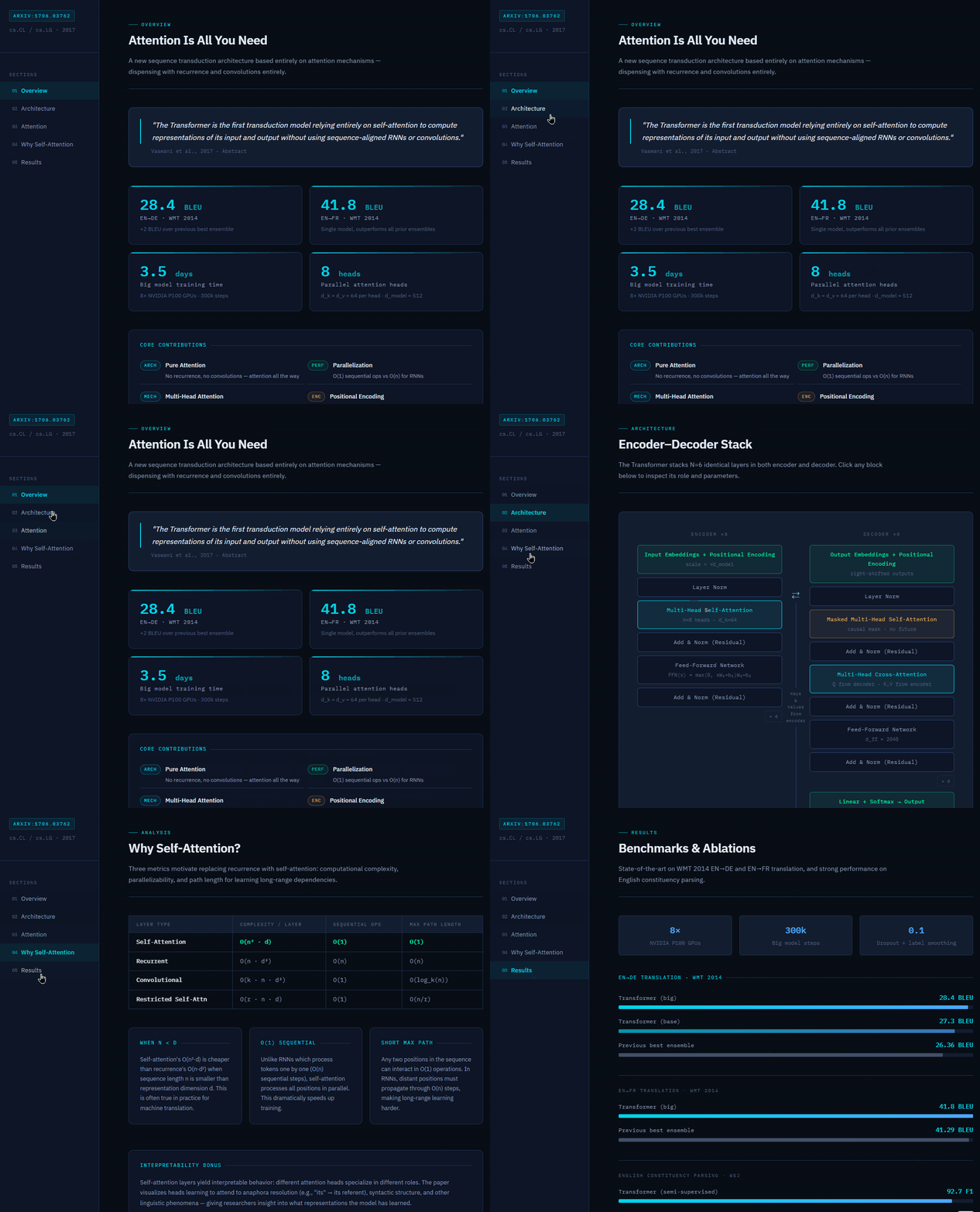
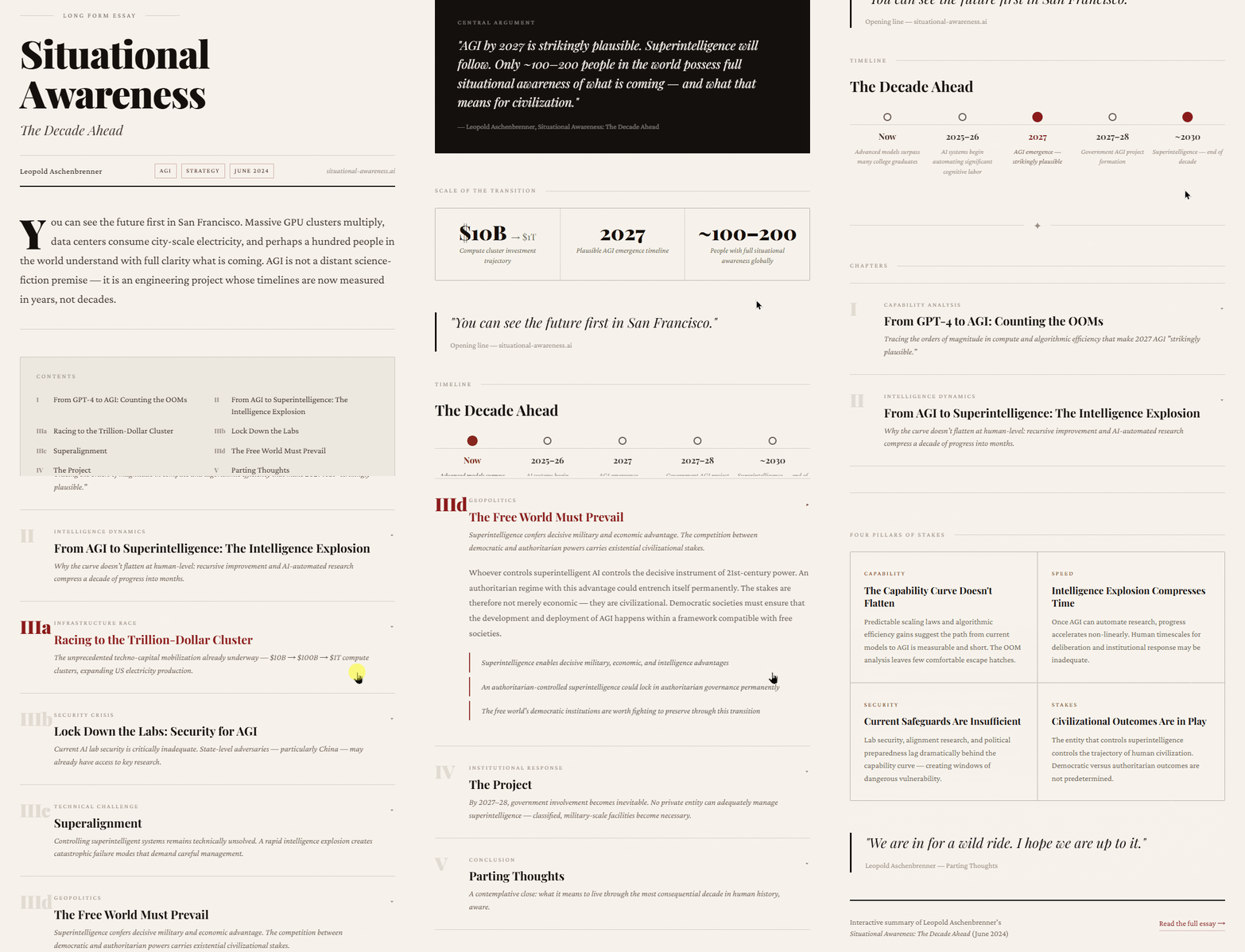
editorial-ink — Ink-on-paper, magazine weight. Playfair Display + Crimson Pro. For essays, opinion, long-form arguments.
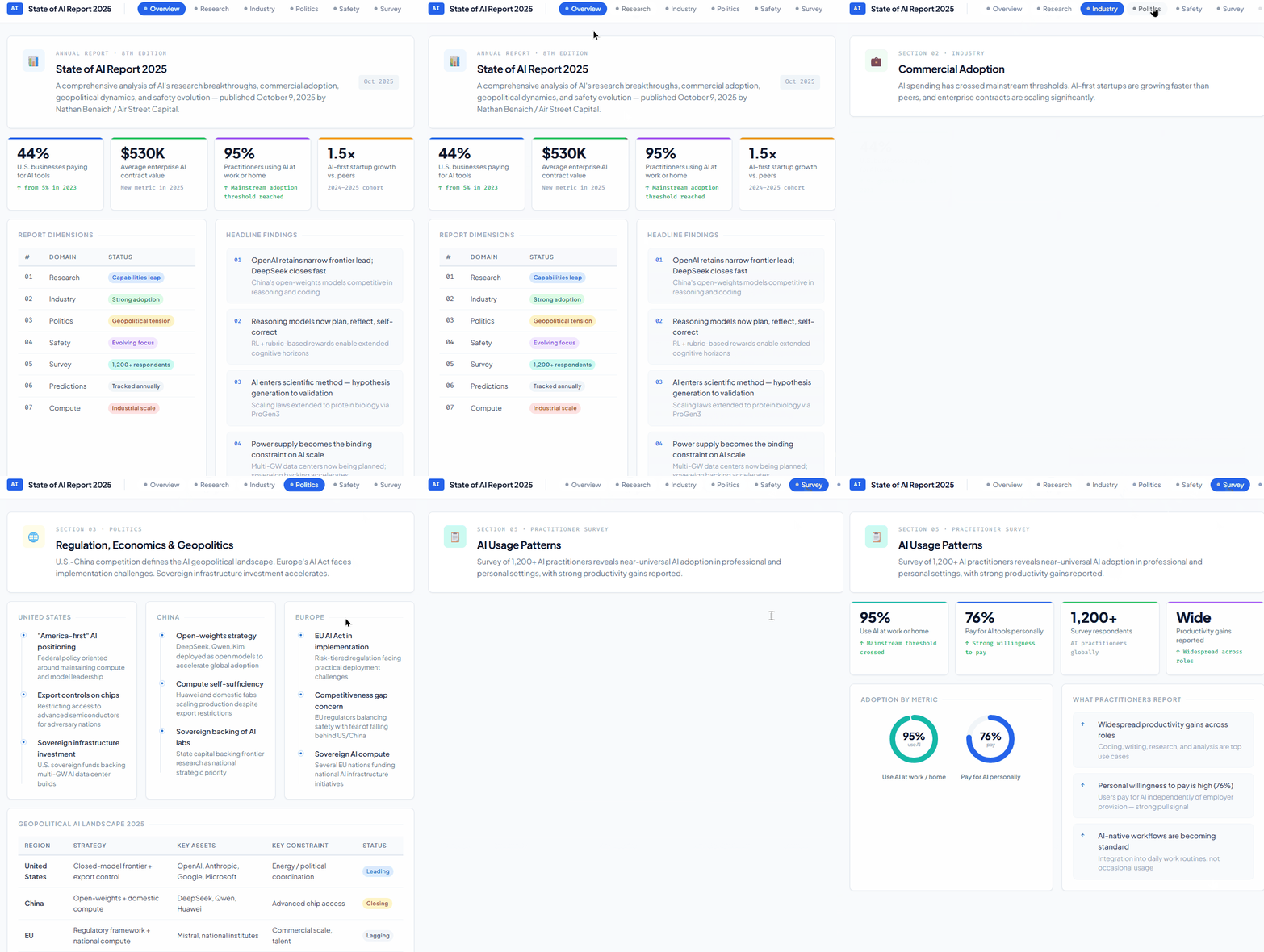
clean-analytical — High contrast, chart-ready. Plus Jakarta Sans + Fira Code. For data posts, comparisons, research.
editorial-warm — Forward momentum, approachable warmth. Newsreader + Nunito. For tutorials, case studies, instructional content.
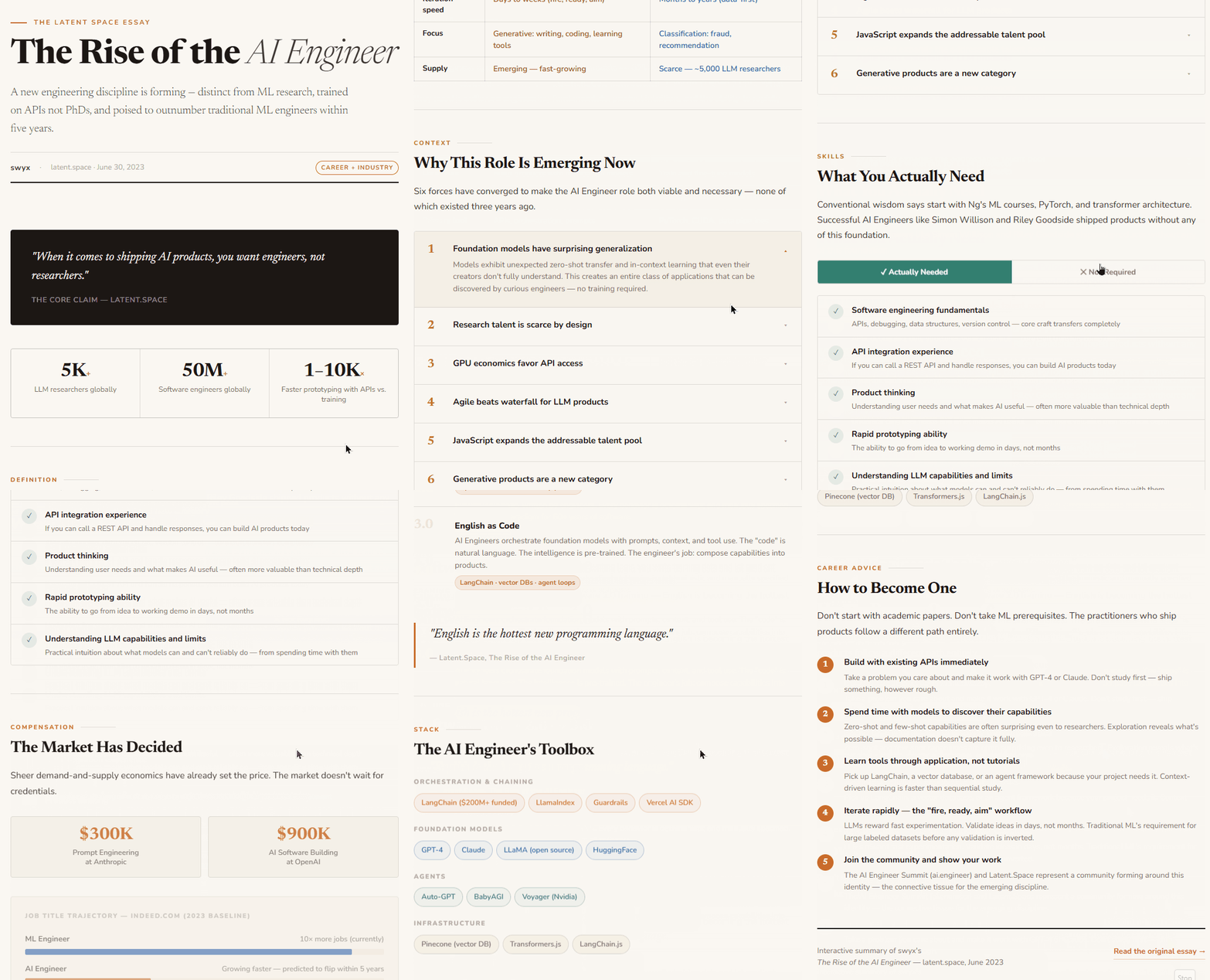
claude-like — Warm restraint, content-forward. Instrument Serif + DM Sans. For conversational AI content, reflective pieces.
Hard rule: the skill never uses Inter, Roboto, Arial, or System UI. Every output looks like it was designed for that specific article.
Why it works: the 4-stage pipeline
Here’s the thing most people get wrong when asking AI to “make a webpage from my article”: they do it in one shot. The AI has to understand the content AND write the code simultaneously. The result is usually a generic landing page that doesn’t reflect the article’s actual structure.
This skill separates understanding from generation.
Before any HTML is written, three Python scripts run in sequence:
Article input
    ↓
normalize_article.py  →  normalized.md
    ↓
extract_structure.py  →  structure.json
    ↓
build_page_plan.py    →  blueprint.json
    ↓
Claude builds HTML from the blueprint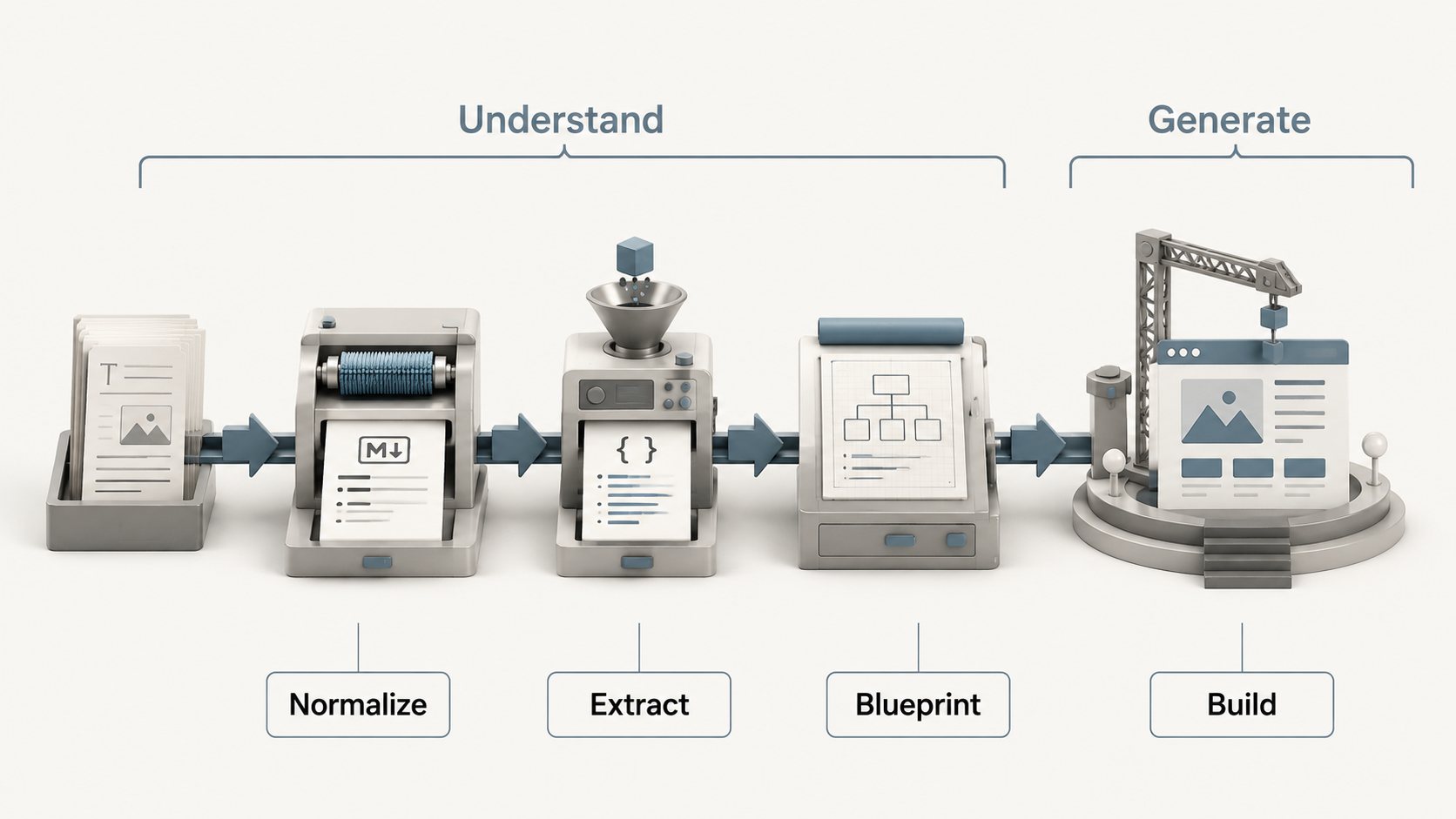
Stage 1 — Normalize: Cleans the input. Strips HTML noise, extracts metadata, produces consistent Markdown.
Stage 2 — Extract: Classifies the article type (tutorial? opinion? comparison?). Pulls out key concepts, stages, comparisons, data points, code blocks. Outputs structure.json.
Stage 3 — Blueprint: Selects the interaction model and design direction. Maps each section to a specific component type. Outputs blueprint.json — the construction plan.
Stage 4 — Build: Claude reads the blueprint and generates the HTML. It’s not guessing anymore. It’s executing a plan.
The quality difference between “one-shot generation” and “pipeline then generate” is massive. It’s the same principle as software engineering: design before implementation.
No Python? No problem. If the environment can’t run scripts, Claude does the same analysis in-context and documents its reasoning in an internal brief. Same logic, just without the intermediate JSON files.
The degradation rule
Not every article should be interactive. A 200-word opinion doesn’t need tabs and accordions. Forcing interactivity on simple content makes it worse, not better.
So the skill has an explicit degradation rule:
Make it interactive when:
- Content has phases, comparisons, hierarchies, or data
- Navigation would reduce cognitive load
- Multiple concepts have meaningful relationships
Keep it static when:
- It’s a short opinion or single argument
- No interaction would reveal hidden structure
- It’s a brief note, announcement, or reflection
A beautiful static editorial page beats hollow interactivity every time.
The non-negotiables
Some rules are baked in and can’t be overridden:
- Never invents sections not in the source article
- Never adds fake metrics or citations
- Never copy-pastes paragraphs — extracts and rebuilds content into interactive treatments
- Never uses Inter/Roboto/Arial/System UI fonts
- All interactive elements must be keyboard accessible
- Responsive layout for all outputs
- Respects
prefers-reduced-motion
File structure
If you want to understand how the skill is organized (or want to fork and build your own):
interactive-web/
├── SKILL.md                          # Main instruction file
├── references/
│   ├── design-principles.md          # 5 aesthetic directions + motion rules
│   ├── visualization-patterns.md     # Implementation guide per interaction model
│   └── content-extraction-guide.md   # What to extract + quality checklist
├── assets/
│   └── component-patterns.md         # Ready-to-use CSS/JS components
└── scripts/
    ├── normalize_article.py          # Stage 1
    ├── extract_structure.py          # Stage 2
    └── build_page_plan.py            # Stage 3
The whole thing is MIT licensed. Fork it, modify it, use it however you want.
Try it right now
-
Install:
npx skills add zerohzz/zz-skills -
Run it on any article:
/interactive-web your-article.md -
Open the generated
.htmlfile in your browser.
That’s it. Three steps.
If you want to see what the output looks like before installing: live demo.